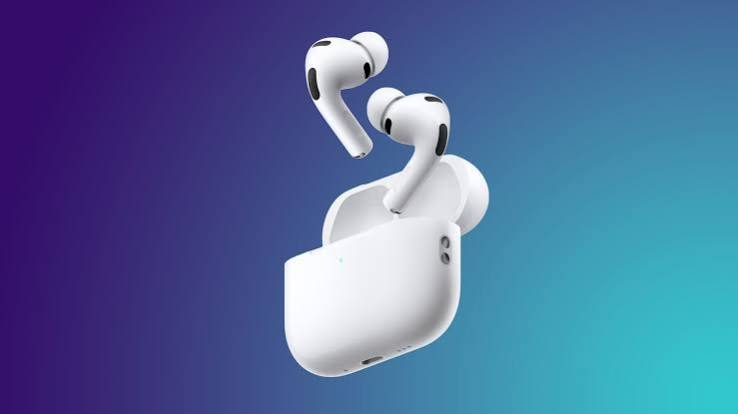
AirPods are designed to deliver a seamless listening experience, so unexpected chirping sounds can be confusing. If you’ve recently wondered, “Why are my AirPods chirping?” you’re not alone. Many users report hearing random chirps, beeps, or high-pitched sounds coming from their AirPods or the charging case, even when they are not actively using them. While these sounds may seem like a hardware problem, they are often part of Apple’s built-in features rather than a defect.
why are my airpods chirping, exact reason depends on your AirPods model, software version, battery status, and Find My settings. Modern models, particularly AirPods Pro (2nd generation) and newer charging cases with built-in speakers, can intentionally produce sounds for security, charging notifications, battery alerts, and device location. In other cases, firmware glitches, Bluetooth issues, or hardware faults may be responsible. Understanding what each chirp means helps you determine whether the sound is completely normal or something that requires troubleshooting.
What Does the Chirping Sound on AirPods Mean?
A chirping sound is essentially your AirPods communicating with you. Unlike many electronic devices that display messages on a screen, AirPods rely on sounds to notify users about important events. Depending on the model, these sounds may indicate charging status, successful pairing, battery warnings, Find My notifications, or security alerts. Apple intentionally designed these audio cues to make important system events noticeable without requiring users to constantly check their iPhone. why are my airpods chirping,
Not every AirPods model behaves the same way. Older AirPods cases have no external speaker, meaning most sounds originate from the earbuds themselves. However, AirPods Pro (2nd generation), AirPods 4 with Active Noise Cancellation, and newer charging cases include a dedicated speaker that can emit chirps independently. Because of this hardware change, many users who recently upgraded notice sounds they never experienced with previous AirPods models. why are my airpods chirping,
Find My Security Alerts Are the Most Common Cause
One of the biggest reasons AirPods chirp is Apple’s Find My security system. Apple introduced anti-stalking protections after concerns about people misusing tracking devices. If AirPods become separated from their registered owner for an extended period or appear to be travelling with someone else, they may automatically emit chirping sounds. This feature helps prevent unwanted tracking while making nearby users aware of unknown Find My devices. why are my airpods chirping,
Sometimes the security feature activates even when you own the AirPods. If Bluetooth is disabled, your iPhone is switched off, or your AirPods temporarily lose connection with your Apple ID, they may incorrectly assume they are separated from their owner. In many cases, simply reconnecting them to your iPhone, enabling Bluetooth, or opening the Find My app restores normal behaviour. If someone in your Family Sharing group accidentally uses the Play Sound feature, your AirPods can also chirp unexpectedly.
Low Battery and Charging Notifications
A low battery is another common explanation for unexpected chirping. AirPods are programmed to notify users when battery levels become critically low. Depending on the model, the earbuds may produce warning tones when battery power reaches approximately ten percent and again when they are nearly empty. Newer charging cases also generate sounds when charging begins or when the case battery itself becomes critically low.
These notifications are completely normal and should not be mistaken for hardware failure. If the chirping consistently occurs while connecting the charging cable or placing the case on a wireless charger, the sounds simply confirm that charging has started correctly. Some models allow charging case sounds to be disabled through AirPods settings on your iPhone, making the experience quieter without affecting normal operation.
Bluetooth Connection Problems Can Trigger Random Chirping
Wireless connectivity plays a major role in AirPods performance. An unstable Bluetooth connection may cause repeated reconnecting between your AirPods and iPhone, which can sometimes trigger notification sounds. This is especially common in crowded wireless environments where multiple Bluetooth devices compete for signal strength, such as offices, airports, or apartment buildings. why are my airpods chirping,
Connection instability can also occur after major iOS updates, incomplete firmware installations, or corrupted Bluetooth pairing information. Forgetting the AirPods in Bluetooth settings, restarting your iPhone, resetting the AirPods, and pairing them again often resolves these issues. Keeping both iOS and AirPods firmware updated also reduces the likelihood of recurring connection-related chirping.
Transparency Mode and Physical Contact May Produce Chirping Sounds
Some users hear chirping only while wearing their AirPods. In many cases, this occurs when Transparency Mode is enabled. Since external microphones continuously amplify surrounding sounds, accidental contact between the earbuds, jewellery, hats, helmets, or even hair may create brief chirping or squeaking noises. These sounds are usually harmless and disappear once the microphones no longer detect the interference. why are my airpods chirping,
Ear tip fit also influences microphone performance on AirPods Pro models. A poor seal may create unusual feedback that resembles chirping, particularly during movement or exercise. Running Apple’s Ear Tip Fit Test and selecting a better-fitting ear tip often eliminates these sounds while improving both Active Noise Cancellation and overall sound quality.
Software Bugs and Firmware Issues
Like any smart device, AirPods rely on firmware. Occasionally, software bugs cause the charging case or earbuds to chirp without an obvious reason. Users have reported situations where their AirPods repeatedly chirped after firmware updates, lost Find My registration, or failed to sync properly with iCloud. Although these problems are relatively uncommon, they do occur from time to time. why are my airpods chirping,
Fortunately, firmware-related problems are often temporary. AirPods install firmware updates automatically while charging near a connected Apple device. If the problem continues after updating, resetting the AirPods and reconnecting them to your Apple ID usually restores proper operation. In more persistent cases involving Find My registration errors, Apple Support may recommend removing the AirPods from your account before pairing them again.why are my airpods chirping,
Could the Chirping Mean Hardware Damage?
Although software causes most chirping incidents, hardware problems are still possible. Water exposure, accidental drops, damaged microphones, worn charging contacts, or battery deterioration can occasionally produce unusual sounds. If chirping is accompanied by distorted audio, rapid battery drain, intermittent charging, or failure to connect, a physical component may be malfunctioning rather than the software. why are my airpods chirping,
Charging accessories should also be considered. Faulty USB-C cables, damaged Lightning cables, third-party wireless chargers, or dirty charging contacts can interfere with proper charging and trigger repeated notification sounds. Cleaning the charging contacts carefully with a dry, lint-free cloth and testing a certified Apple-compatible charger helps eliminate accessory-related causes before assuming the AirPods themselves are defective. why are my airpods chirping,
How to Stop AirPods From Chirping
Most chirping problems can be resolved without replacing the AirPods. The first step is identifying exactly when the sound occurs. If it happens during charging, it is probably a charging notification. If it occurs while moving the case after several hours, Find My separation alerts may be responsible. If it happens only while wearing the earbuds, microphone feedback or Transparency Mode could be involved. why are my airpods chirping,
Once the cause is identified, practical solutions become much easier. Updating iOS, allowing AirPods firmware to install, reconnecting Bluetooth, resetting the AirPods, verifying Find My settings, ensuring adequate battery charge, cleaning the charging case, and disabling charging case sounds where available resolve most reports of random chirping. Only if these steps fail and additional symptoms develop should professional inspection or warranty service be considered. why are my airpods chirping,
Conclusion
If you’ve been asking, “Why are my AirPods chirping?” the reassuring news is that the sound is usually intentional rather than a sign of failure. Apple’s newer AirPods include advanced security features, Find My integration, charging notifications, and battery alerts that frequently produce chirping sounds as part of normal operation. In many situations, these sounds simply indicate that your AirPods are protecting your privacy or notifying you about their current status.
However, repeated chirping without an obvious reason should not be ignored. Persistent sounds combined with charging failures, Bluetooth instability, poor audio quality, or battery problems may indicate a firmware issue or hardware fault that deserves further attention. By understanding the most common causes and applying the appropriate troubleshooting steps, most users can restore quiet, reliable performance and continue enjoying the convenience and sound quality that AirPods are designed to provide.